Search Google for call notes and the first thing you get is three videos. All three are about a Pixel feature. Two of them are, more or less, called how to find it.
So you open your own phone, go into the Phone app settings, and start looking.
Galaxy owners will not find it. Nor will anyone on a Xiaomi, a OnePlus or a Motorola. Even a Pixel is not enough by itself: the phone has to be a Pixel 9 or later, it cannot be an A model, and you have to be in one of a handful of countries. So it was never going to be there.
That is how most people arrive at this question, so let me start with the bad news and then get to what actually works.
Four different things, one name, call notes
Part of the confusion is that call notes is not a product. It is a phrase that four separate things have taken for themselves, and they do not do the same job.
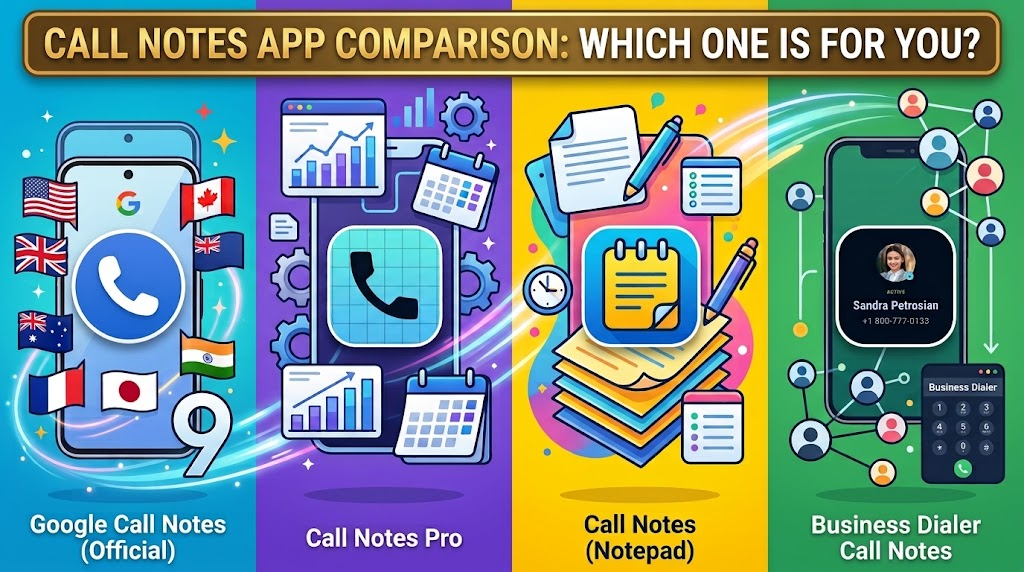
Google’s Call Notes is built into recent Pixels, where it uses AI to transcribe and summarise a call. Call Notes Pro is a third-party app that has been around for years. Search the Play Store and you will also find something simply called Call Notes, which is a notepad. The fourth one is Business Dialer Call Notes, which is mine, so discount me accordingly.
Here is how they actually compare.
| Feature | Google Call NotesBuilt into Pixel | Call Notes ProThird-party app | Call NotesPlay Store notepad | Business Dialer Call NotesThird-party dialer |
|---|---|---|---|---|
| Runs on | Pixel 9 or later only, A series excluded | Any Android, though installing on a new phone may fail | Any Android | Any Android |
| Where it works | Five countries, plus Japan and India, and it needs a SIM from that country | Anywhere | Anywhere | Anywhere |
| When you see it | After the call | During the call | Never on the call screen | Before you answer |
| What it shows | An AI transcript and summary of what was said | Your own note, in a floating window | Notes you typed, inside its own app | Your note, plus company, job title and labels from your Google Contacts |
| Your notes live in | Google’s Phone app, on the device | Its own database, and the cloud sync shut down in 2022 | Its own app | Your Google Contacts, still yours if the app goes away |
| Last updated | Actively developed | 11 March 2022 | 2024 | Actively developed |
| Other person is told | Yes, it is announced | No | No | No, because nothing is recorded |
| Cost | Free, if you own the right Pixel | Paid | Free | $9 a month, $49 a year, or $99 once, after a 30 day trial |
Download the call notes comparison table as a PDF
The row that matters
Look at when you see it, because everything else follows from that line.
Google’s version and Samsung’s equivalent both answer the same question: what did we talk about? And they answer it once the call has already ended.
That is genuinely useful if you need a record, and how recording actually works on Android has the handset and region rules in full. But almost nobody searching for call notes is asking it. Read the forum threads and the question underneath is a different one entirely, which is who is this and what did I promise them, in the two seconds before you say hello.
A transcript arrives about forty minutes too late to help with that.
What to do about call notes, depending on the phone in your hand
You have a Pixel 9 or later, in one of those countries
Turn Google’s Call Notes on and use it. It is free, it runs on the device, and the summaries are good. Just know that it tells the other person it is running, and that what you get back is a record of the conversation rather than a prompt before it.
You have a Galaxy
Google’s version is never coming to your phone. Samsung’s answer is Transcript Assist inside Galaxy AI, which transcribes and summarises calls you have recorded, and needs a network connection and a Samsung account. I went through the whole picture in a separate piece on what Samsung actually offers.
You are on any other Android
You are in the largest group, and neither Google’s feature nor Samsung’s will ever reach your phone. No update is coming, and Google said so in 2020 when it closed the request for the company name on the incoming call screen.
That leaves a third-party app. Business Dialer Call Notes is mine: it takes the note you already keep on the contact and puts it on the incoming call screen, before you answer, on any Android and in any country. The trial runs 30 days, which for most people is a few hundred calls, and that is long enough to know whether seeing the note actually changes how they go.
You already use Call Notes Pro
Then you have the right idea already and you do not need to rush. It still works, the developer kept the export button working, and what happened to it was sanctions rather than neglect. Export your notes this week though, because an app last updated in March 2022 gets harder to install with every new handset. I wrote up what happened and how to move your notes out in more detail.
Where I stand
I should be straight with you. I sell real estate for a living, I built Business Dialer Call Notes because I kept answering calls from clients whose names I recognised and whose details I could not remember, and it is the fourth column in that table.
So discount me accordingly. The table is checked against Google’s own support documentation and each app’s Play Store listing, and I have tried to be fair to Call Notes Pro in particular, because it is a good piece of software that got unlucky.
What my app does not do is transcribe, record, or remind you of anything. If you want the words, use one of the tools above and I mean that. What it does is put the note you already wrote on the screen while the phone is still ringing.
If you want the part that costs nothing, start by writing better notes and keeping them somewhere you can reach. The software argument only matters once the notes exist.